
Task Management
Type to plan. Type to track.
Clarq turns typed lines into structured tasks, so planning feels as fast as writing a doc.
AlphaDocument-firstInline metadataTask ↔ time
Document-First
Alpha
The document is the interface.
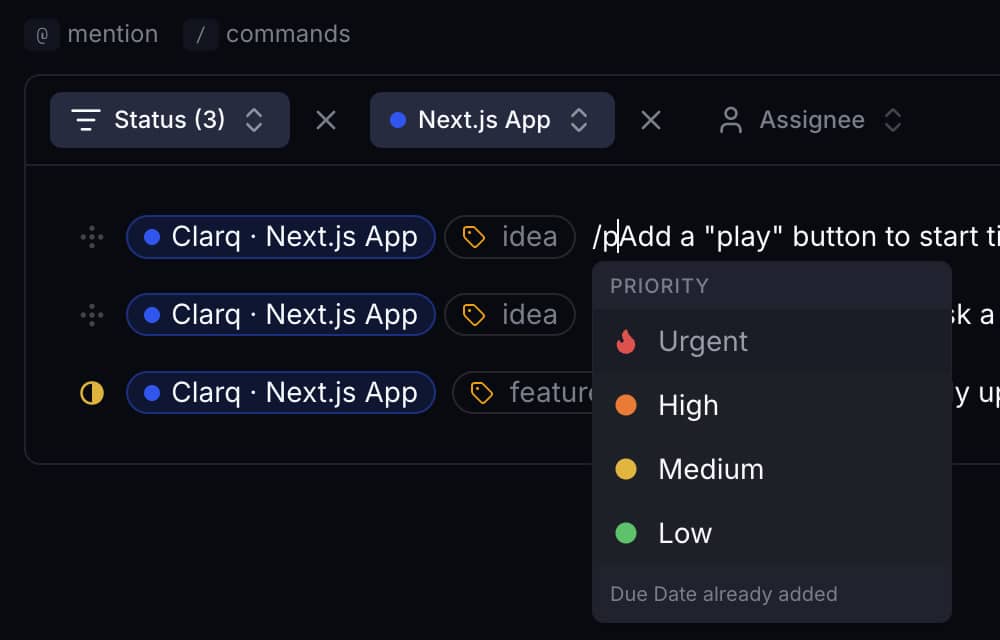
Every line is a task. No modals, no forms - just fast typing and instant conversion into structured work.
- Use `@` to reference a project or teammate inline.
- Use `/` commands to set due dates, labels, priority, and estimates.
- Click anywhere to edit without leaving context.
Execution Bridge
Alpha
Tasks connect directly to time tracking.
Start tracking time from a task and Clarq bridges planning with execution without extra steps.
- Track time from any task with one click.
- Actual vs estimated hours in the same view.
- Tasks remain lightweight, never bloated.
